Filament Sequence
Similar to Flushing Volumes, it is also important to consider the First layer filament sequence setting within the slicer. This allows you to change what colour will print first and is especially important if your first layer has multiple colours. To access these settings, click on the Plate Settings button:
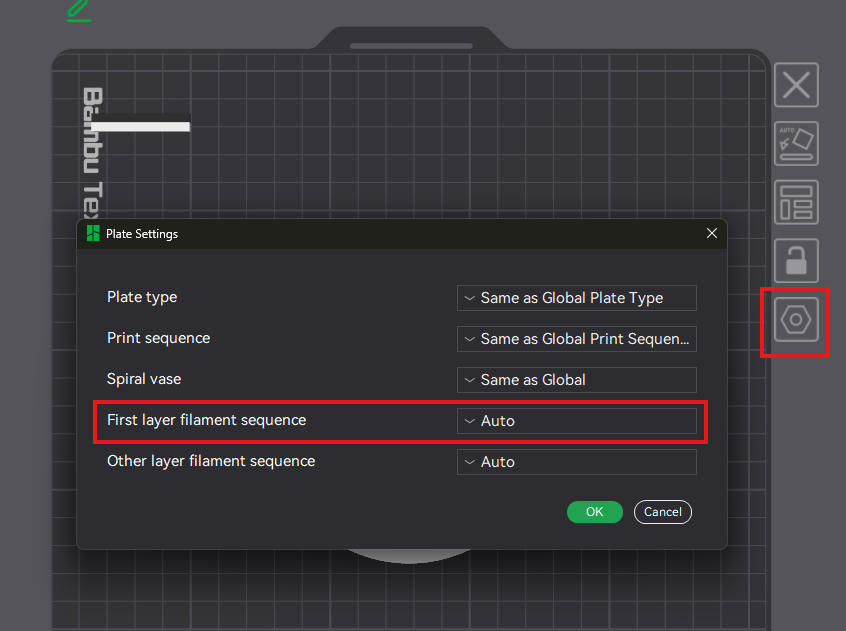
As I am printing black and white, and my text is black, I want to ensure the black goes down first before it is outlined by the white. If your fine detailed colour is second to go down, it could blend with the other colour (white) and appear to show a smudged look. This is prevented by changing this order.

Below shows the very obvious outcome when the finer details in black were not first in the filament required:
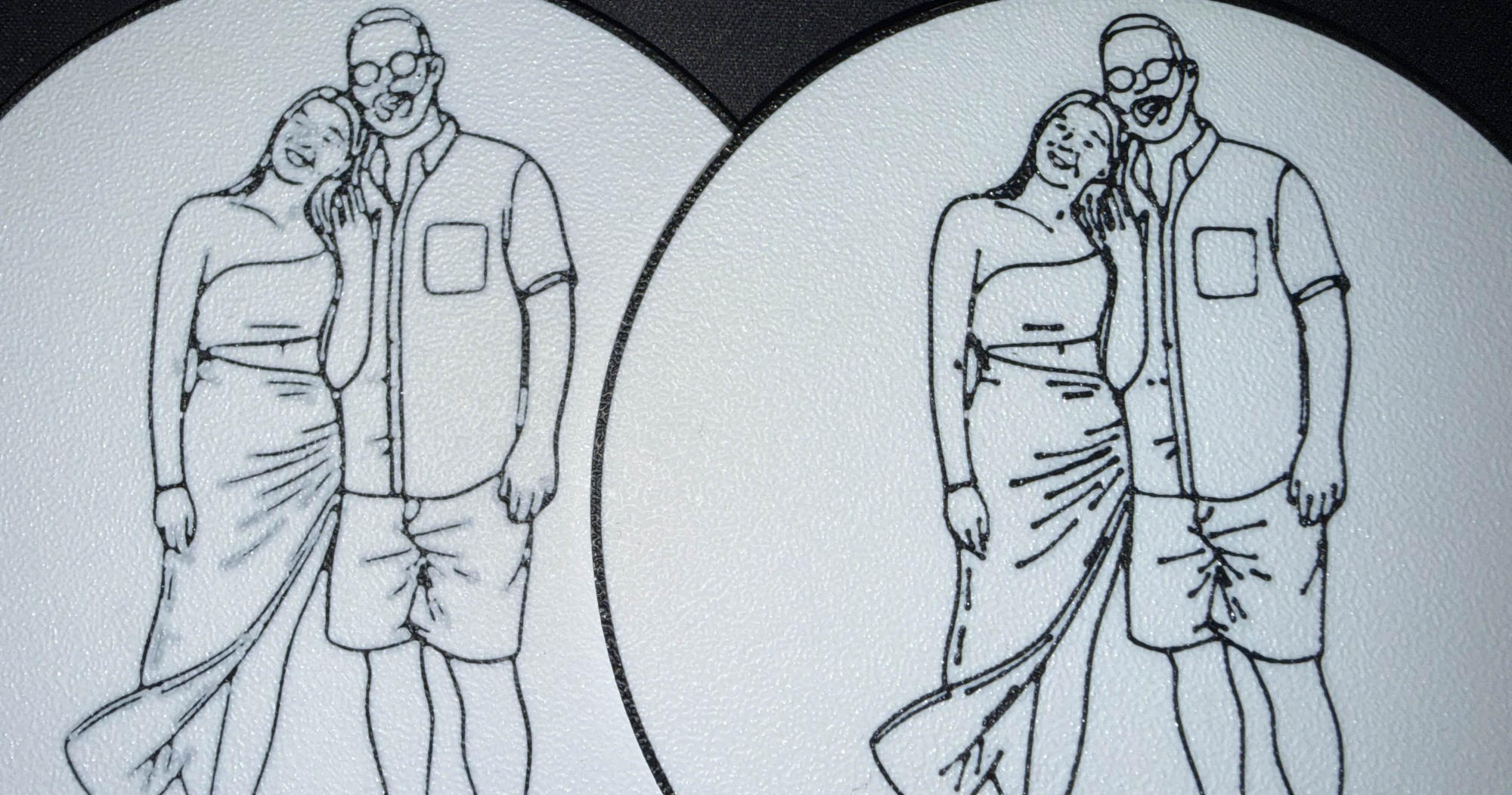
The black and white appears a lot more smudged on the left print instead of the much cleaner finish with the black on the right print. This is with black being first in the filament sequence.