Quality
The filament accounts for the majority of the quality, though I do alter many of the default settings. Having a good model design is important, but without proper slicer settings, your model might not print at the desired quality.
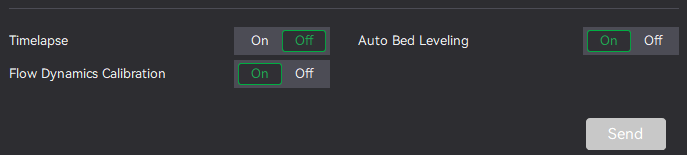
For every print I would certainly recommend keeping bed levelling and dynamic flow enabled for the best outcome. It takes a few extra minutes but will massively aid the quality and success of the print.
To aid a poor first layer where gaps may be present on a smooth plate: use Arachne under "Quality" and scroll down to Wall Generator. Also enable "Detect thin walls" to improve the finish. Note: enabling Arachne already covers detection of thin walls.
I've found that Arachne is needed for very fine quality prints too, for example when printing smaller text on a coaster.
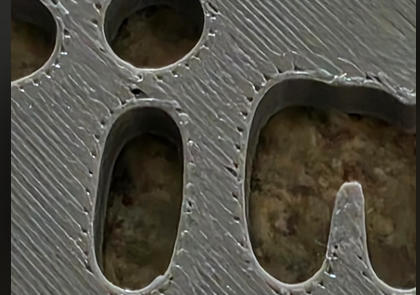
Gaps between layers, commonly seen in coasters, can be due to insufficient "infill–wall overlap" — increase it a little; the default is usually 20%.
Arachne can also be used to aid first‑layer quality.

https://ellis3dp.com/Print-Tuning-Guide/articles/infill_perimeter_overlap.html